> ## Documentation Index
> Fetch the complete documentation index at: https://docs.surfacearea.ai/llms.txt
> Use this file to discover all available pages before exploring further.
# Scenarios & task sets
> Collect real traces and sessions into datasets, mark golden regression sets, and curate the scenarios a world runs.
A **scenario** is one situation to attempt in a [world](/worlds), plus the conditions that decide whether it passed. A set of scenarios is what a candidate version is run against.
Scenarios are curated from real traffic in the **Data** section of a project: collect traces and sessions into **datasets**, mark the ones you trust as **golden**, and promote the cases you want to run repeatedly into scenario sets.
The dashboard and the API call a scenario set a **task set**, and the SDK
addresses it as `taskSet`. The identifiers keep the historical name so existing
links and integrations keep working.
## Datasets and scenario sets: when to use each
A dataset is a collection of test inputs and their expected outputs. You run experiments against a dataset before shipping a change, then compare runs to see whether the change improved results.
A scenario set is the same object -- the same items, runs, and evaluators -- surfaced on the **Task Sets** tab. It is the corpus a world is run against and the suite a replay loads from.
Use a plain dataset for a fixed set of examples to experiment against. Use a scenario set when a world run or a replay suite should keep exercising the same cases as your agent evolves.
| Aspect | Dataset | Scenario set |
| - | - | - |
| Holds | Input / expected-output items | The same items, run as reusable scenarios |
| Who runs it | You, via experiments | Worlds and replay suites |
| Surfaced on | Data → Datasets | Data → Task Sets |
| Best for | One-off comparisons before a change | Standing regression and benchmark coverage |
## Build a dataset from real traffic
Build a dataset from runs you have already traced: select the traces or sessions in [Tracing](/tracing), add them to a dataset, and mark the dataset golden once you trust it as a baseline.
 *The Datasets tab lists every dataset with its item count, and shows a golden badge on curated regression sets.*
Open [Tracing](/tracing) and select the rows you want -- individual runs on the Traces table, or whole conversations on the Sessions table. Each table lets you check multiple rows at once.
Choose **Add to Dataset** from the bulk-action menu and pick a target dataset. Each selected trace becomes one item, with its input and output copied in and the source trace linked for provenance. Each selected session becomes one item holding the full ordered conversation.
You can also start a dataset from scratch with **New dataset**, import items from a CSV file, or add a single trace or observation straight from its detail view.
Open the dataset and use the **Mark as golden** toggle in the header. A golden dataset is a curated regression set and carries a **golden** badge everywhere it appears. Unmark it any time.
Every dataset item keeps its version history. Editing an item's input or expected output preserves the previous version, along with who made each change and which runs used it, so you can tell what a past experiment was graded against.
## Scenario sets: the cases a world is run against
Each scenario is a single dataset item -- an input plus the expected behavior. Two parts of Surface Area run them.
*The Datasets tab lists every dataset with its item count, and shows a golden badge on curated regression sets.*
Open [Tracing](/tracing) and select the rows you want -- individual runs on the Traces table, or whole conversations on the Sessions table. Each table lets you check multiple rows at once.
Choose **Add to Dataset** from the bulk-action menu and pick a target dataset. Each selected trace becomes one item, with its input and output copied in and the source trace linked for provenance. Each selected session becomes one item holding the full ordered conversation.
You can also start a dataset from scratch with **New dataset**, import items from a CSV file, or add a single trace or observation straight from its detail view.
Open the dataset and use the **Mark as golden** toggle in the header. A golden dataset is a curated regression set and carries a **golden** badge everywhere it appears. Unmark it any time.
Every dataset item keeps its version history. Editing an item's input or expected output preserves the previous version, along with who made each change and which runs used it, so you can tell what a past experiment was graded against.
## Scenario sets: the cases a world is run against
Each scenario is a single dataset item -- an input plus the expected behavior. Two parts of Surface Area run them.
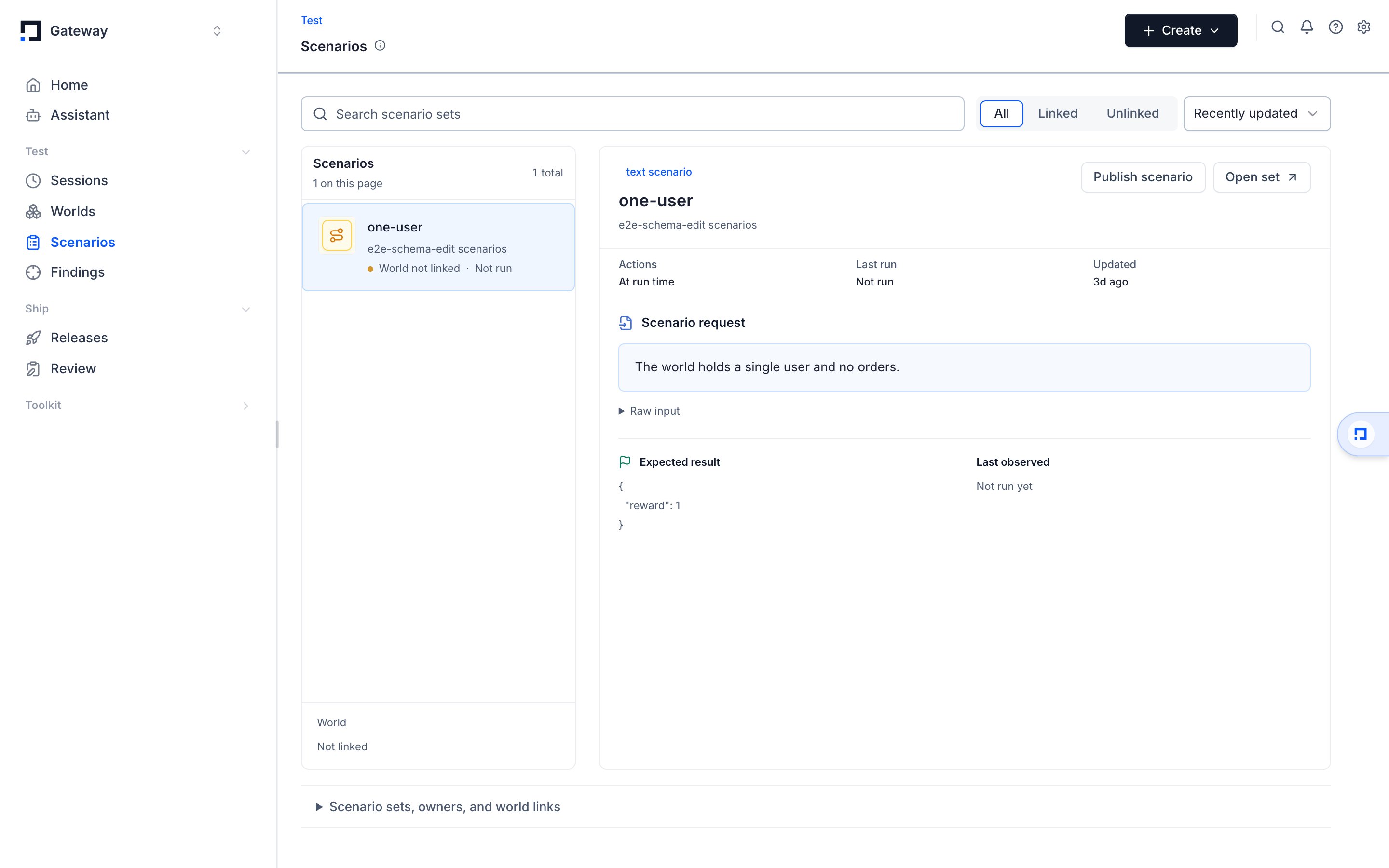 *The Task Sets tab lists each set as a dense row; opening one reveals its scenarios, rollouts, and evaluations.*
**A world runs them as its questions.** Link a set to a world and every scenario becomes one [rollout](/glossary#rollout) per run, with per-scenario performance reported back. The CLI links a set in one command:
```bash theme={null}
gateway environment link-task-set acme-world --tasks scenarios.jsonl
gateway environment performance acme-world
```
The `environment` namespace is the historical name for a world; the command operates on the world you name. See [Worlds client](/sdk/environments) for the same thing from Python.
**Replay suites load from them.** The SDK can build a replay suite from a scenario set and re-run every case against a new version of your agent, using each session's recorded tool outputs so replays stay deterministic. See [Sessions & Replay](/sdk/sessions-replay) and [Agent Replay](./agent-replay).
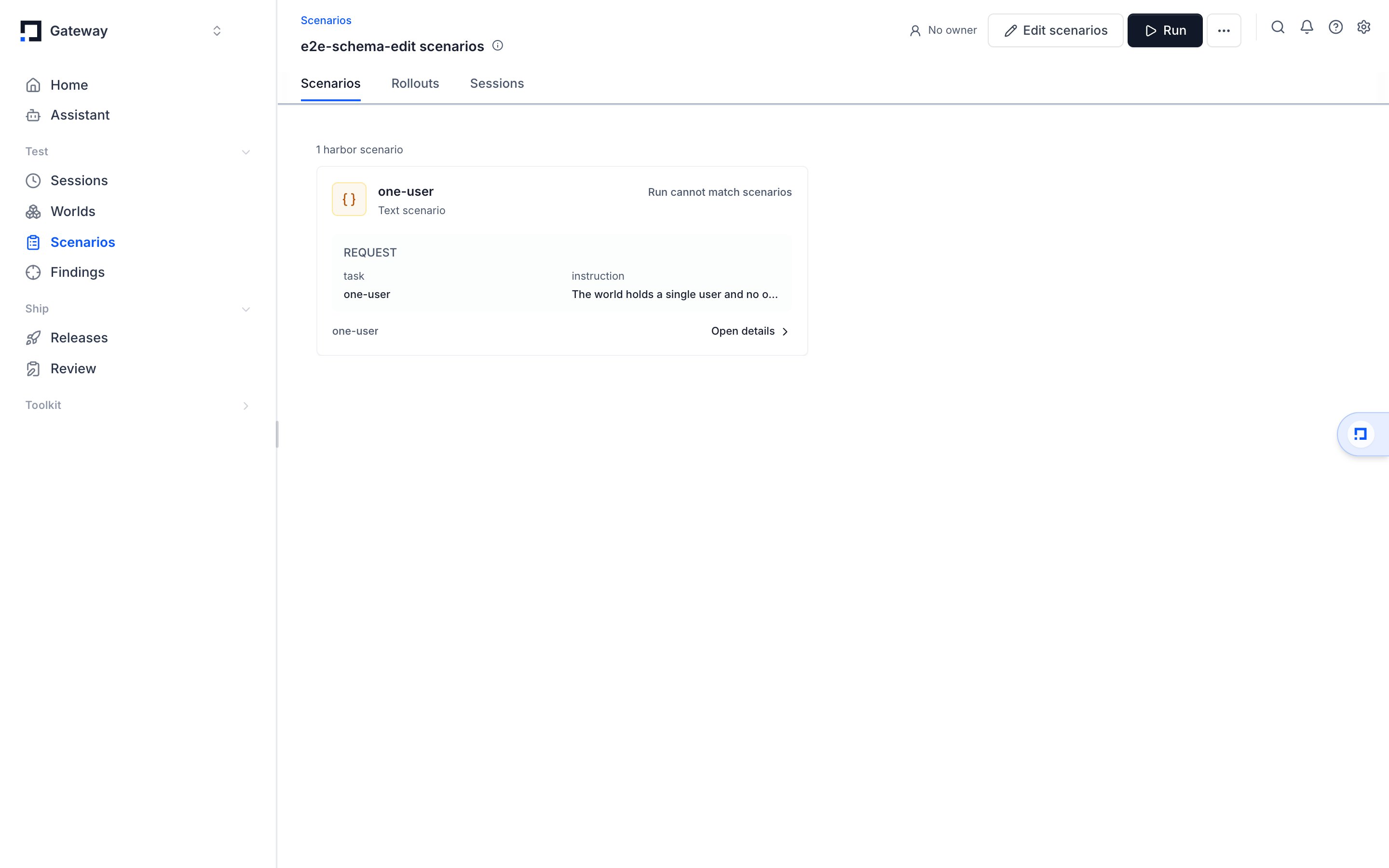
Create a set on the **Task Sets** tab with **Create**, then add scenarios by hand or promote a production failure into one. Because a scenario set is a dataset underneath, you can run experiments and attach evaluators to it as you would with any dataset.
A world also carries **stored tasks** of its own, kept by the project rather
than bundled in a version: `gateway worlds task create` stores an instruction,
a seed, and a grader, and `gateway worlds session open --task-id ` opens a
session on it. Use a stored task when one world needs a question that no
version of it should be pinned to.
## Curate with the Assistant
The Assistant can build and clean up datasets and scenario sets, as long as it has permission to edit datasets in the project.
Ask it to list or create datasets and scenario sets, bulk-add traces or sessions by their IDs, and mark a set golden. For heavier data preparation, the Assistant can pull a dataset into a sandbox, transform it with Python -- deduplicate, split into train and validation sets, relabel, or filter -- and write the results back as new items.
See [the Assistant](/worlds/assistant) for how to hand it this kind of work.
## Upload a set from a file
Upload a JSON or JSONL file as a dataset with the `gateway` command-line tool.
```bash theme={null}
gateway dataset upload scenarios.jsonl --name crm-benchmark-v1
```
Pass `--agent ` to validate every item against that agent's input schema before the upload runs. See [The gateway CLI](/cli) for the full command and its options.
## Related pages
* [Worlds](/worlds) is the system a scenario is attempted in.
* [Evaluation (LLM-as-Judge)](/evaluation) scores what each attempt produced.
* [Agent Replay](./agent-replay) re-runs a set of recorded sessions against a new version.
This documentation is built and hosted on [Mintlify](https://mintlify.com), a developer documentation platform.
*The Task Sets tab lists each set as a dense row; opening one reveals its scenarios, rollouts, and evaluations.*
**A world runs them as its questions.** Link a set to a world and every scenario becomes one [rollout](/glossary#rollout) per run, with per-scenario performance reported back. The CLI links a set in one command:
```bash theme={null}
gateway environment link-task-set acme-world --tasks scenarios.jsonl
gateway environment performance acme-world
```
The `environment` namespace is the historical name for a world; the command operates on the world you name. See [Worlds client](/sdk/environments) for the same thing from Python.
**Replay suites load from them.** The SDK can build a replay suite from a scenario set and re-run every case against a new version of your agent, using each session's recorded tool outputs so replays stay deterministic. See [Sessions & Replay](/sdk/sessions-replay) and [Agent Replay](./agent-replay).
Create a set on the **Task Sets** tab with **Create**, then add scenarios by hand or promote a production failure into one. Because a scenario set is a dataset underneath, you can run experiments and attach evaluators to it as you would with any dataset.
A world also carries **stored tasks** of its own, kept by the project rather
than bundled in a version: `gateway worlds task create` stores an instruction,
a seed, and a grader, and `gateway worlds session open --task-id ` opens a
session on it. Use a stored task when one world needs a question that no
version of it should be pinned to.
## Curate with the Assistant
The Assistant can build and clean up datasets and scenario sets, as long as it has permission to edit datasets in the project.
Ask it to list or create datasets and scenario sets, bulk-add traces or sessions by their IDs, and mark a set golden. For heavier data preparation, the Assistant can pull a dataset into a sandbox, transform it with Python -- deduplicate, split into train and validation sets, relabel, or filter -- and write the results back as new items.
See [the Assistant](/worlds/assistant) for how to hand it this kind of work.
## Upload a set from a file
Upload a JSON or JSONL file as a dataset with the `gateway` command-line tool.
```bash theme={null}
gateway dataset upload scenarios.jsonl --name crm-benchmark-v1
```
Pass `--agent ` to validate every item against that agent's input schema before the upload runs. See [The gateway CLI](/cli) for the full command and its options.
## Related pages
* [Worlds](/worlds) is the system a scenario is attempted in.
* [Evaluation (LLM-as-Judge)](/evaluation) scores what each attempt produced.
* [Agent Replay](./agent-replay) re-runs a set of recorded sessions against a new version.
This documentation is built and hosted on [Mintlify](https://mintlify.com), a developer documentation platform.